


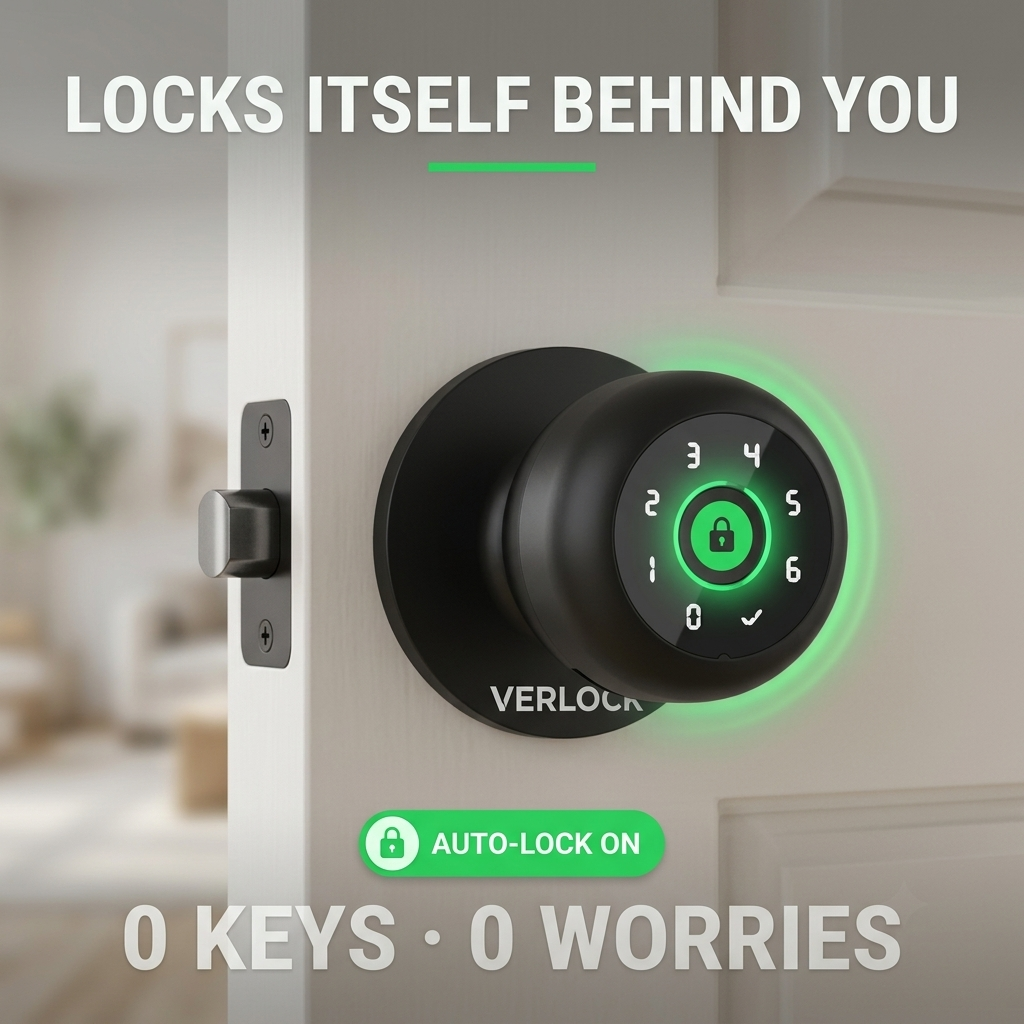
The door that opens before anyone knocks
A fingerprint, a code, or a key get you in. Nobody else gets in by accident, by habit, or by ignoring you.
- Unlocks for you in 0.5 seconds, locks itself for everyone else
- 4 ways in: fingerprint, keypad code, app, or a mechanical key
- Share access from your phone and see who unlocked it, and when
- Backup key and USB emergency charging if the battery ever runs low
One-time purchase. No subscription.
90-day refund window. Ships in 1 to 2 days.
You can ask people to knock. You can't make them.
You're mid-call, mid-change, or finally sitting down, and the handle turns anyway. No knock. No warning. Someone just assumed it was fine.
Telling a kid to knock works for about a week. A hook latch works until someone leans on the door. A "we talked about this" conversation works until it doesn't, which is exactly the moment you needed it to.
The door was never actually the problem. Nothing was ever stopping anyone, it was just politely asking them not to.
It works like a phone, not like a lock
Think of a regular doorknob as a door that trusts everyone equally. VERLOCK is a door that checks first, every time, in under a second, without you having to be the one who checks.
You enroll who gets in
Fingerprints and codes are added from the app, not from the knob itself, so nobody can quietly add their own.
The door locks itself
Close it and it locks on its own. You never have to remember to do it, and neither does anyone else in the house.
You get in, your way, every time
Fingerprint in 0.5 seconds, a code, the app from across the room, or the backup key if you'd rather.
Four ways in, so you're never the one locked out
Forget your phone, and use your fingerprint. Fingers full of groceries, use the code. Battery dead, use the key. The door only has one job, and it does it four different ways.
Works on any door you've been meaning to lock
Not just the bedroom. The attic nobody's supposed to go in, the office, the closet, the room that's supposed to be off-limits but somehow never is. One knob, any door in the house.
Control it from the couch, or from across town
Lock it, unlock it, hand someone temporary access, and check who opened the door and when, all from your phone. You don't have to be standing at the door to know what's happening at it.
What actually changes
BEFORE
- Repeating "please knock" for the hundredth time
- A hook latch that works until someone leans on the door
- Hiding a spare key somewhere and forgetting where
- Finding out after the fact that someone went in anyway
AFTER
- Close the door. It locks itself. Done.
- Your fingerprint gets you in, every time, in half a second
- A backup key and a charging port, not a hidden spare
- An access log that tells you exactly who opened it, and when
Why a regular doorknob never actually worked
It locks itself, so it doesn't rely on anyone remembering
A privacy latch only works if someone actually flips it. VERLOCK locks the moment the door closes, whether you remember or not.
Access is enrolled from the app, not from the knob
Nobody can add their own fingerprint by fiddling with the keypad. Codes and prints only get added from your phone.
A dead battery doesn't mean a dead lock
USB emergency charging and a physical backup key mean a low battery is an inconvenience, not a lockout.
You can see who opened it, after the fact
A hook latch tells you nothing once it's open. The app's access log tells you exactly who unlocked the door and when.
VERLOCK vs. the usual options
| VERLOCK | A regular doorknob | A hook or chain latch | |
|---|---|---|---|
| Locks itself automatically | Yes | No | No |
| Lets different people in different ways | 4 ways | Key only | None, it's on or off |
| Shows who opened it, and when | Yes, in the app | No | No |
| Still works if a kid pushes hard enough | Yes | Depends | Often not |
What's in the box
Backed by a 90-day refund window
Processed in 1 to 2 days, delivered in 5 to 10
Questions, answered
What happens if the battery dies?
You still have the backup mechanical key, and a USB-C port on the outside of the lock lets you plug in a power bank for a quick emergency charge without removing anything from the door.
How do I charge it day to day?
Plug a USB-C cable into the port on the outside of the knob, the same way you'd charge a phone. There's no need to remove the lock from the door.
Will my kid just figure out the code or add their own fingerprint?
Fingerprints and codes are only added through the app, not from the keypad on the door itself, so nobody can enroll themselves without access to your phone.
Is it hard to install?
No. It replaces a standard interior doorknob with a screwdriver and the included hardware, the same way you'd swap any knob. No wiring, no drilling.
Will it fit my door?
VERLOCK is built for standard interior doors. Check your door's thickness against the spec sheet before ordering if you're on an older or nonstandard door.
Is my fingerprint data stored somewhere online?
Fingerprint data is stored on the lock itself, not uploaded to a server. The app is only used to manage access and settings.
Can more than one person have access?
Yes. Add fingerprints and codes for everyone in the house from the app, or share temporary access with a guest or a roommate without giving them a permanent code.
What if the lock itself stops working?
You're covered by a 90-day refund window from the day it arrives, no specific reason required.
Where does it ship from, and how long does it take?
Orders are processed within 1 to 2 days and typically arrive within 5 to 10 days after that.
More from people who stopped asking
Took longer to charge my drill than to install this.
The access log is the real feature. I did not expect to care about that part.
Finally stopped finding the hook latch snapped off the door frame.
Shared a temporary code with a dog sitter instead of handing over a key. Easy.
Make the door mean something again
$79.99. Ships in 1 to 2 days. 90-day refund window.